
Statistics KPI
Summary
This page provides an overview of statistics filters, grouping options, and KPI metrics available in DAO.AD.
Before You Begin
- Role: Advertiser
- Estimated time: 2 minutes
Steps
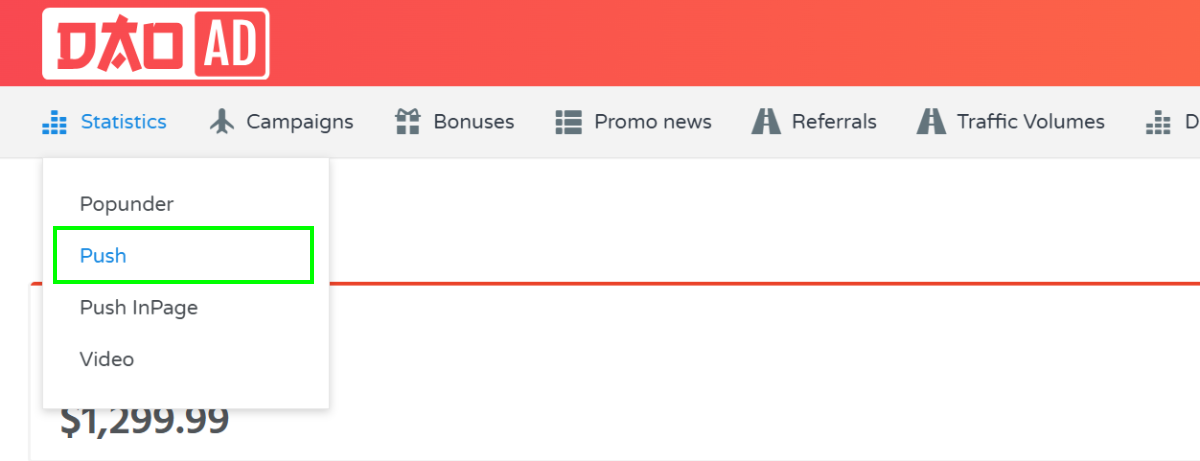
- Open the Statistics section from the top navigation menu and select the desired ad format.
- The following filters are available:
a. Date range - Filter statistics by a selected date range. The maximum available reporting period is 60 days.
b. Campaign - Filter statistics for a specific campaign.
c. OS group - Analyze performance by operating system.
d. Browser Group - View statistics grouped by browser type.
e. Country - View performance data by country.
f. Group by - Available grouping options:
- by hours - Displays statistics grouped by hour within the selected date range.
- by days - Displays statistics grouped by day.
- by month - Displays statistics grouped by month.
- by countries - Aggregates statistics by country.
- by geo set - Aggregates statistics by GEO set.
- by creative - Aggregates statistics by creative.
- by campaign - Aggregates statistics by campaign.
- by browsers - Aggregates statistics by browser.
- by browser family - Aggregates statistics by browser family.
3. The report table contains the following KPI Definitions:
- Period - dates and hours
- Win Rate – percentage of auction wins compared to total bidding opportunities.
- Showed - Total number of ad impressions served.
- Clicked - Total number of clicks received.
- CTR – percentage of impressions that resulted in a click.
- CPMc - Average cost per 1,000 clicks.
- CPMv - Average cost per 1,000 impressions.
- Sum - Total advertising spend for the selected reporting group.
- Leads - Total number of conversions. Postback tracking must be configured.
- Leads sum - Total revenue generated from recorded conversions.
- CPL - Average cost per lead.
- ROI (Return on Investment) – profitability percentage based on advertising spend and conversion revenue.