
Traffic Statistics
Summary
This page explains how to view and analyze your traffic and earnings statistics in the DAO.AD platform.
Before You Begin
- Role: Webmaster
- Required information:
- Active DAO.AD account
- Estimated time: 2 minutes
Steps
- Open Statistics from the main menu.
- Select the advertising format you want to analyze:
- Popunder
- Push
- Push InPage
- Video
- Overall
Select the required traffic source and use the available filters to narrow down the results.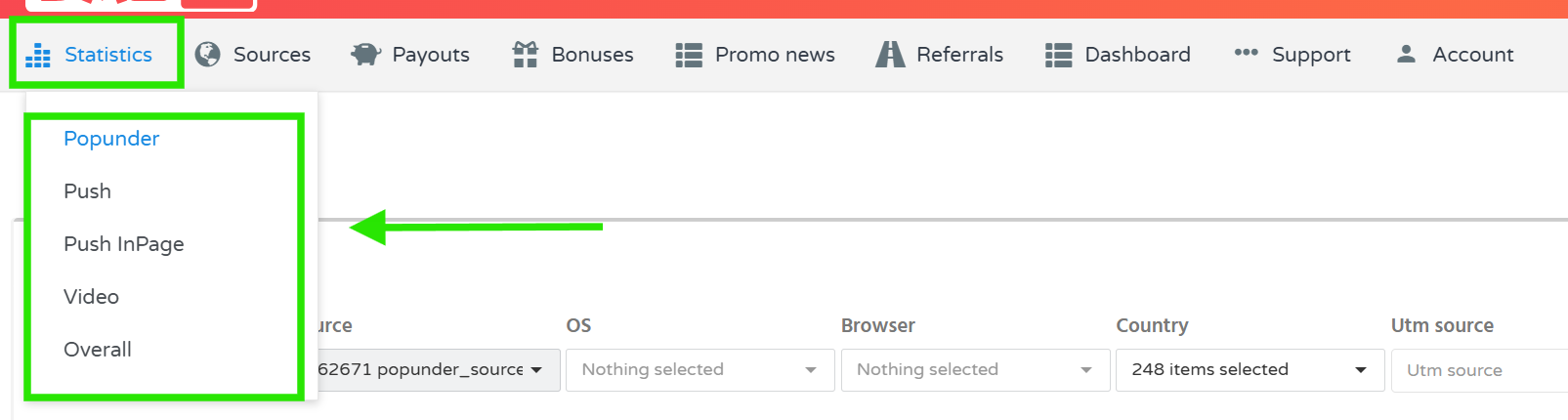
- Depending on the selected advertising format, you can filter statistics by parameters such as:
- Date range
- Traffic source
- Operating system
- Browser
- Country
- UTM Source
- UTM Medium
- UTM Campaign
- UTM Term
- UTM Content
- Select the required grouping option, if available, and click Show to display the statistics.
- Review the results in the chart and table below the filters.
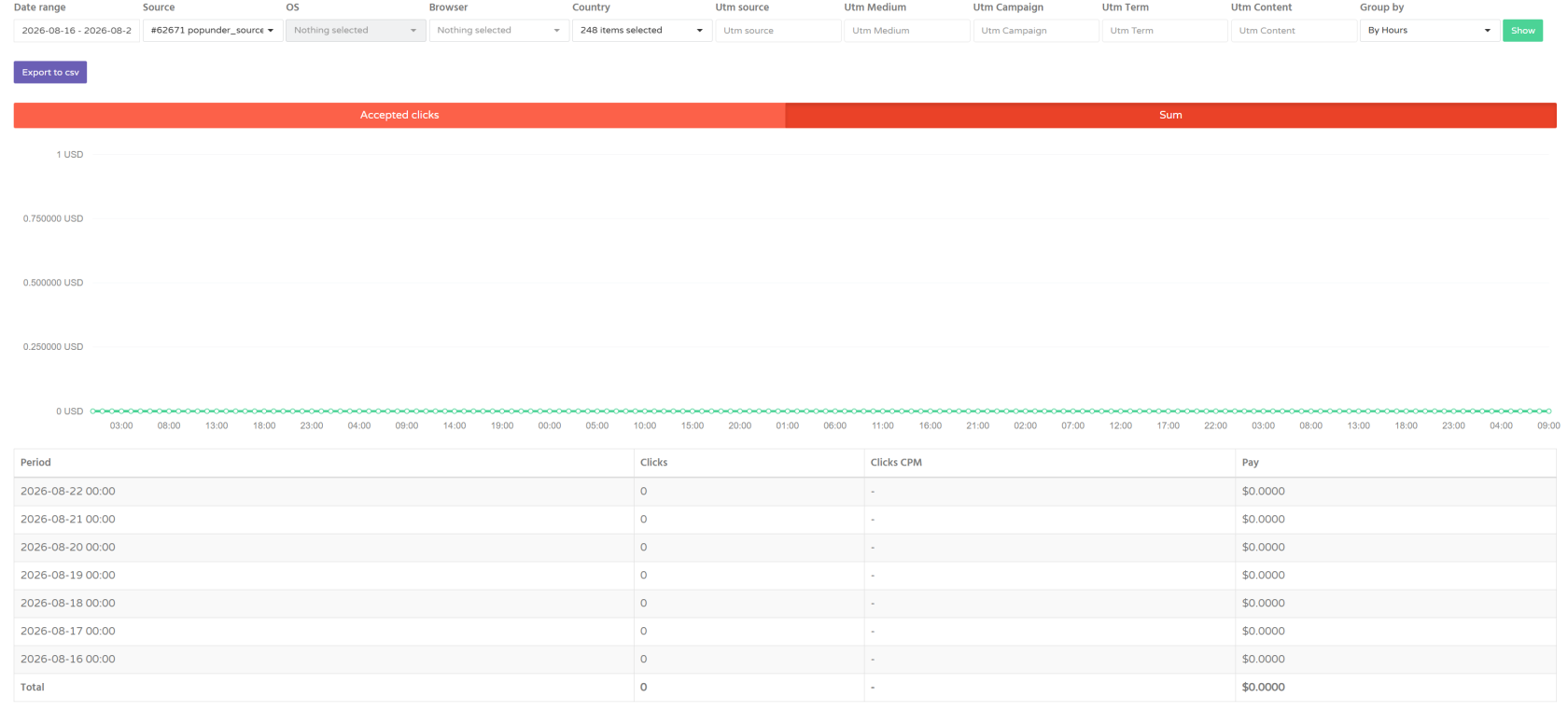
- The statistics allow you to analyze traffic performance over different time periods and across different traffic sources and targeting parameters.
Note: Statistics are updated approximately every 1 minute.
Troubleshooting
Issue: Statistics data is not displayed.
Solutions: Possible variants of solutions
- Check that your traffic source is active.
- Make sure you selected the correct advertising format.
- Try removing the filters and displaying the statistics without additional filtering.
- Check that the selected date range contains available traffic data.
- If the issue persists, contact DAO.AD Support.