# Traffic Statistics
##### Summary
This page explains how to view and analyze your traffic and earnings statistics in the DAO.AD platform.
##### Before You Begin
- Role: Webmaster
- Required information:
- Active DAO.AD account
- Estimated time: 2 minutes
##### Steps
1. Open Statistics from the main menu.
2. Select the advertising format you want to analyze:
3. - Popunder
- Push
- Push InPage
- Video
- Overall
Select the required traffic source and use the available filters to narrow down the results.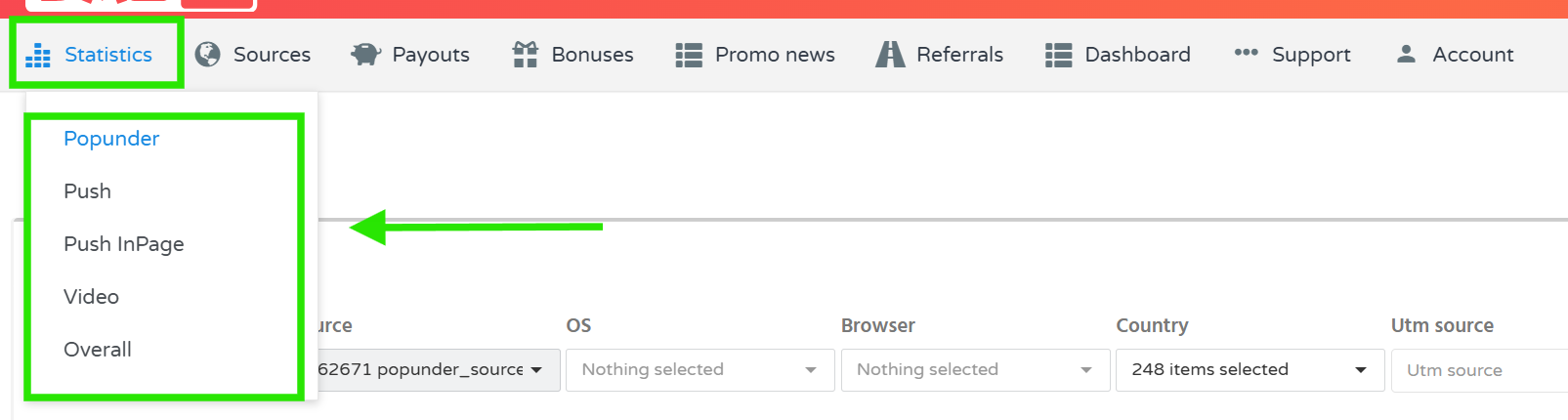
4. Depending on the selected advertising format, you can filter statistics by parameters such as:
- Date range
- Traffic source
- Operating system
- Browser
- Country
- UTM Source
- UTM Medium
- UTM Campaign
- UTM Term
- UTM Content
5. Select the required grouping option, if available, and click ****Show**** to display the statistics.
6. Review the results in the chart and table below the filters.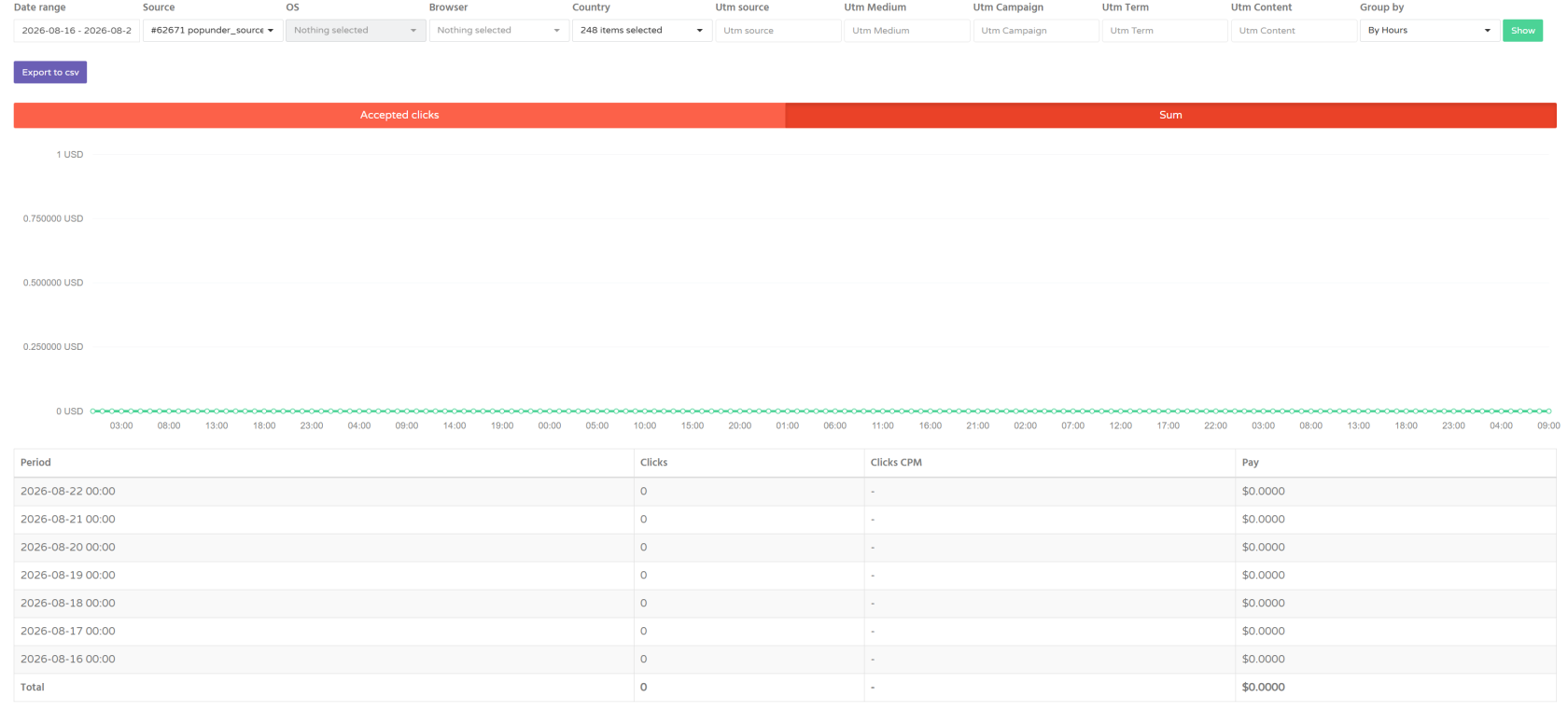
7. The statistics allow you to analyze traffic performance over different time periods and across different traffic sources and targeting parameters.
****Note:**** Statistics are updated approximately every 1 minute.
##### Troubleshooting
****Issue:**** Statistics data is not displayed.
****Solutions:**** Possible variants of solutions
- Check that your traffic source is active.
- Make sure you selected the correct advertising format.
- Try removing the filters and displaying the statistics without additional filtering.
- Check that the selected date range contains available traffic data.
- If the issue persists, contact DAO.AD Support.
##### Related
- [Create a Link Source](https://wiki.dao.ad/books/getting-started-QiA/page/create-a-link-source "Create a Link Source")
- [Create a Site Source](https://wiki.dao.ad/books/getting-started-QiA/page/create-a-site-source "Create a Site Source")
- [UTM Parameters](https://wiki.dao.ad/books/statistics-optimization/page/utm-parameters "UTM Parameters")
- [Traffic Quality](https://wiki.dao.ad/books/getting-started-QiA/page/traffic-quality "Traffic Quality")
#####