
Targeting by operating system
Summary
Targeting by Operating System allows you to receive traffic from specific users who have targeted operational systems.
Before You Begin
- Role: Advertiser
- Required information:
- selected operating systems
- Estimated time: 1 minute
Steps
- On the campaign creation page, locate the Targeting section and the User OS block.
- Select one or more operating systems from the dropdown list.
- Select one or more operating systems.
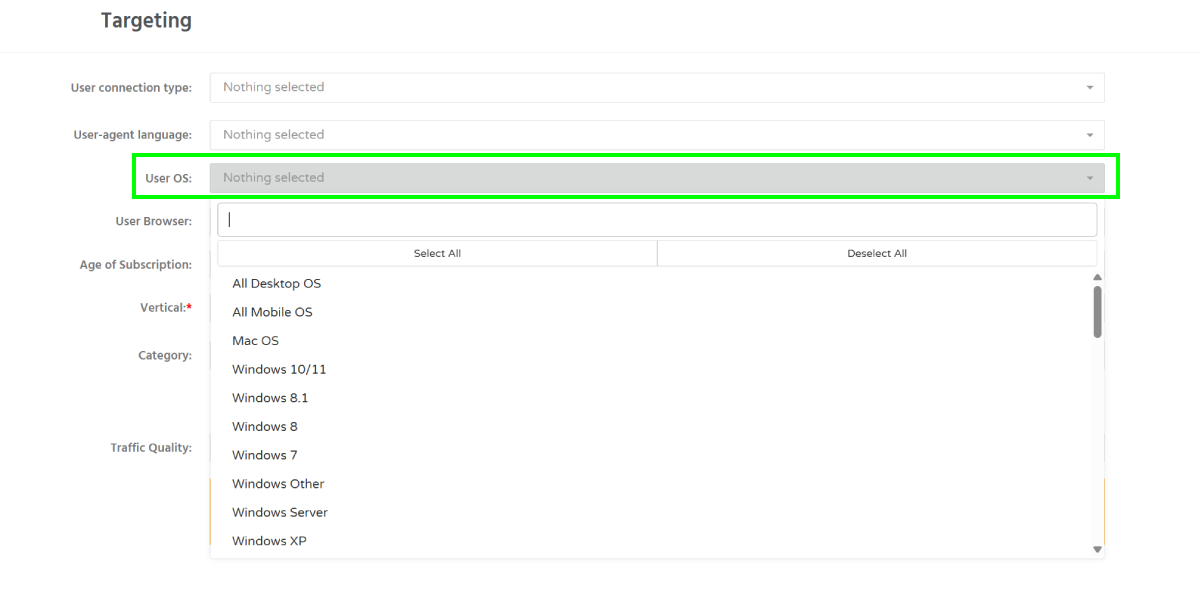
Information: Use All Desktop OS to target all desktop operating systems. Use All Mobile OS to target all mobile operating systems.
Troubleshooting
Issue: Selected operating systems are not receiving traffic
Solution:
- Verify that the campaign status is Active.
- Check your bid amount.
- Make sure traffic is available for the selected operating systems.
- Review other targeting restrictions such as countries, browser, or whitelist settings.