
Targeting by age of subscription
Summary
Subscription age targeting allows you to receive traffic from users based on the age of their push subscription.
Before You Begin
- Role: Advertiser
- Required information:
- subscription age range
- available for Push campaigns only
- Estimated time: 1 minute
Steps
- On the campaign creation page, locate the Targeting section and the Age of subsciption field.
- Select one or more subscription age ranges from the dropdown list.
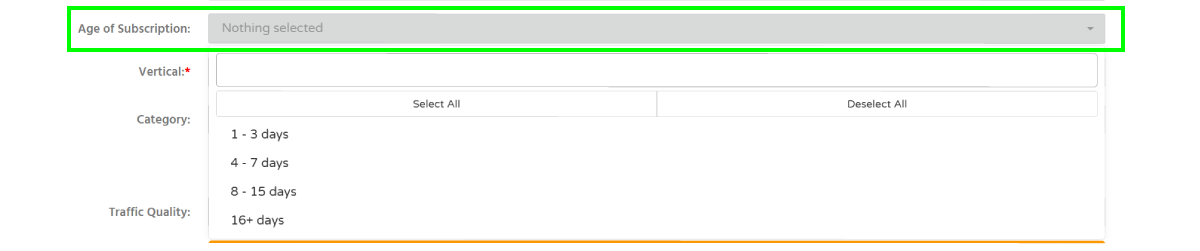
Information: you can target users with subscription ages of 1-3, 4-7, 8-15, or 16+ days. Subscription age is calculated from the date when a user subscribed to push notifications.
Troubleshooting
Issue: Unable to select custom subsription age.
Solution:
- only the predefined subscription age ranges available in the dropdown list can be selected.
Verification
After saving the campaign, the selected categories and traffic quality levels will appear in the campaign targeting settings.