
Test a Conversion (HTTP Examples)
Summary
This guide explains how to manually test a conversion postback using a web browser or HTTP request tools. It helps verify that your tracking configuration is working correctly before launching a campaign.
When should you use this?
Use conversion testing when:
- Setting up a new CPA network
- Configuring Keitaro, Binom, Voluum, or another tracker
- Verifying postback parameters
- Troubleshooting missing conversions
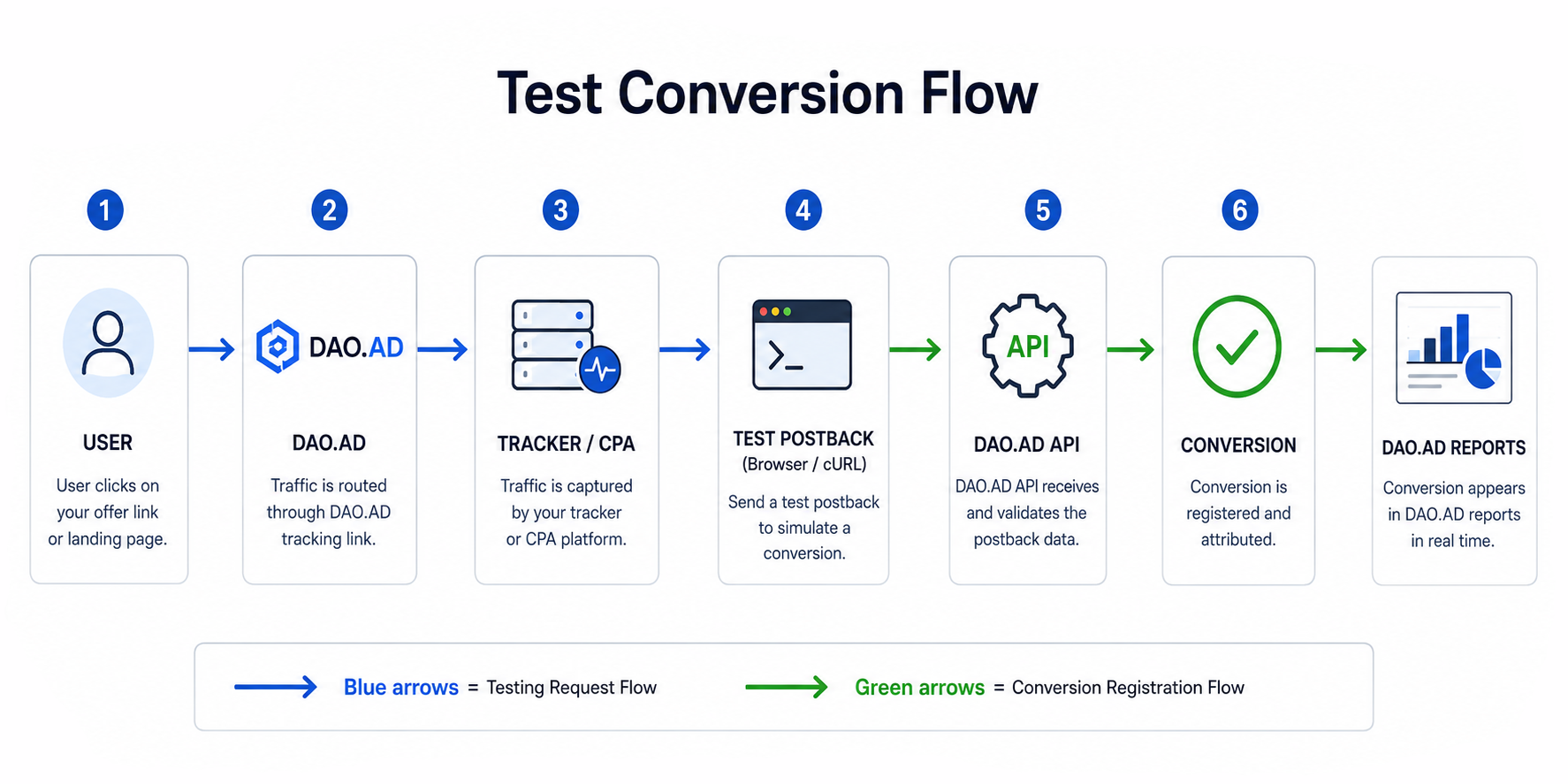
Example DAO.AD Postback URL
http://api.daopush-api.info/api/postback/campaign?
key=YOUR_API_KEY
&sum=1
&click-id=123456789
&type=main
Parameter explanation:
| Parameter | Example | Description |
|---|---|---|
| key | YOUR_API_KEY | DAO.AD API key |
| sum | 1 | Conversion payout |
| click-id | 123456789 | Original click ID |
| type | main | Conversion type |
Method 1: Browser Test
Simply open the URL in your browser:
http://api.daopush-api.info/api/postback/campaign?key=YOUR_API_KEY&sum=1&click-id=123456789&type=mainExpected result:
{"status":"success"}or similar success response.
Method 2: cURL Example
Linux / macOS / Windows Terminal
curl "http://api.daopush-api.info/api/postback/campaign?key=YOUR_API_KEY&sum=1&click-id=123456789&type=main"Expected result:
{"status":"success"}Method 3: Keitaro Test
- Open the campaign.
- Find a real Click ID.
- Replace
{external_id}with that Click ID. - Send the postback manually.
- Verify that the conversion appears in DAO.AD statistics.
Method 4: Binom Test
- Open Click Log.
- Copy a valid Click ID.
- Execute the postback URL manually.
- Check DAO.AD Reports.
Common Errors
Invalid API Key
{"status":"error","message":"invalid key"}Solution:
Verify the API key from your DAO.AD Profile page.
Missing Click ID
{"status":"error","message":"click-id not found"}Solution:
Use a valid Click ID generated by DAO.AD.
Duplicate Conversion
{"status":"error","message":"duplicate conversion"}Solution:
Check the TTL parameter or use a new Click ID.