
Targeting by vertical
Summary
Use vertical targeting to receive traffic from publishers whose audience matches selected verticals.
Before You Begin
- Role: Advertiser
- Required information:
- selected verticals
- Estimated time: 1 minute
Steps
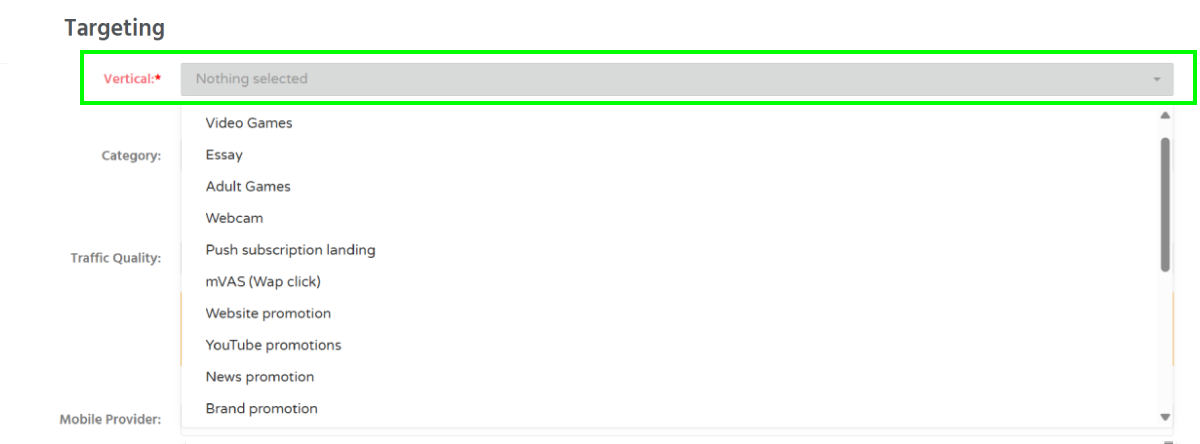
- On the campaign creation page, locate the Targeting section and the Vertical field.
- Select one or more verticals from the dropdown list.
Troubleshooting
Issue: Unable to select multiple verticals
Solution:
- to target multiple verticals, select Mix at the bottom of the dropdown list.