
Create a Site Source
Summary
A Site source allows you to monetize traffic from a website that you own or manage. To create a Site source, you must provide your website URL, verify ownership, select the appropriate category, and submit the source for approval.
Before You Begin
- Role: Webmaster
- Required information:
- Website URL
- Website traffic statistics
- Access to website files or source code - Estimated time: 3-5 minutes
Steps
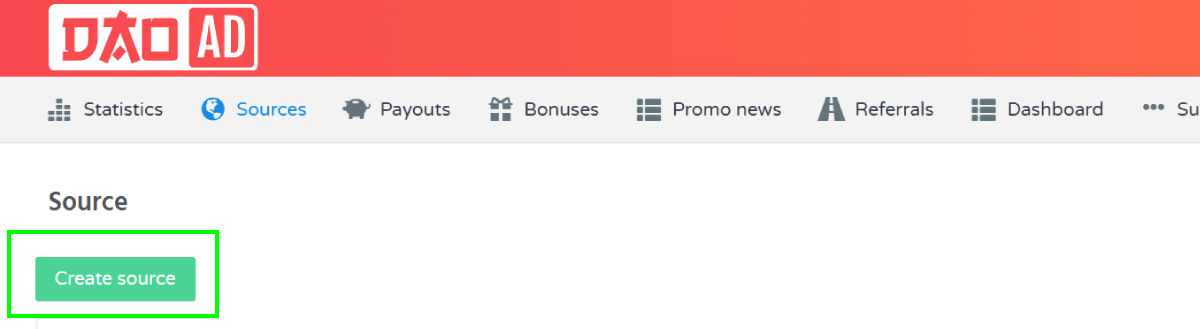
- Navigate to the Sources section and select the desired ad format.
- Click Create Source.
- Enter the Source name and choose Site as the source type.
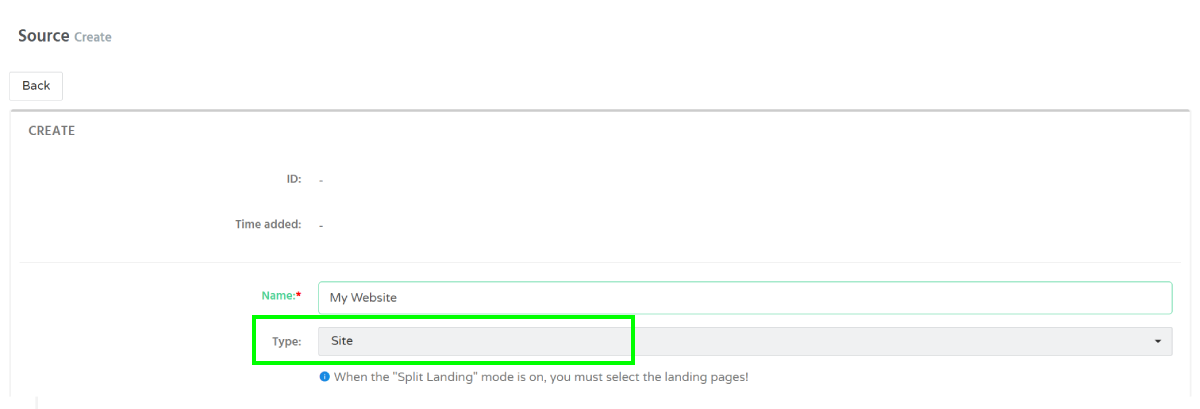
- Select a Landing ID and specify your website URL.
- Select the appropriate category:
- Mainstream
- Racy
- Adult - Verify website ownership.
DAO.AD requires website ownership verification before a source can be approved.
You can verify ownership by:
- Uploading the verification file to your website root directory, or
- Adding the provided meta tag to your website header.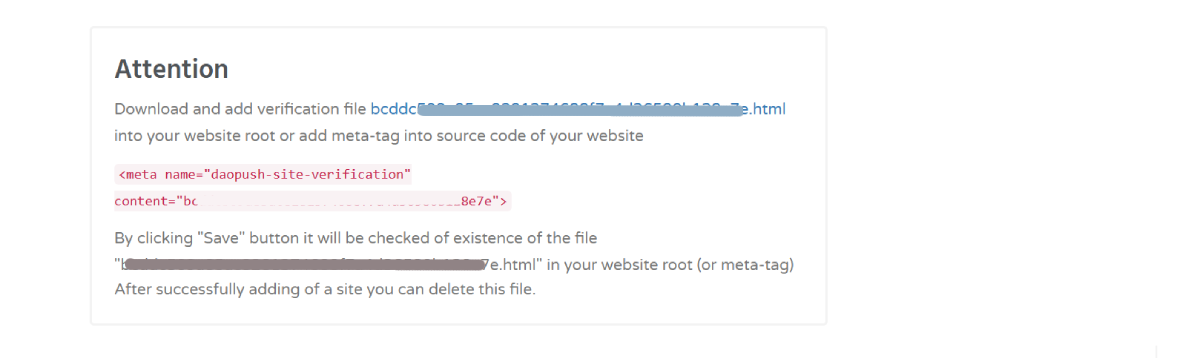
- Provide traffic statistics
Enter your website traffic information.
Supported statistics sources:
- Google Analytics (provide traffic statistics to the moderation team for Approval)
- LiveInternet (to approve source, share your site visits statistics Only URL to detailed statistic)
- Other analytics platforms
Provide:
- Daily Visits
- Statistics URL
- Statistics access details (if required)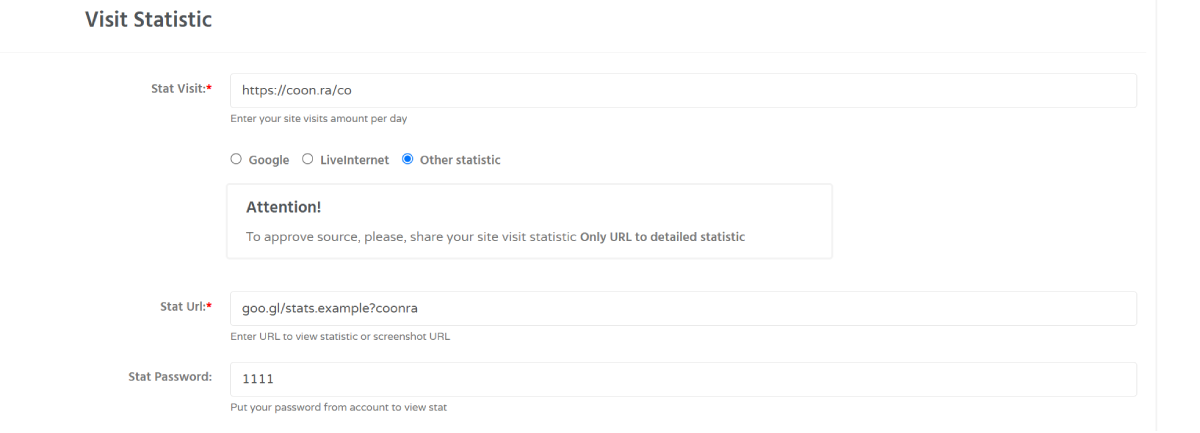
- Provide traffic statistics
- Click Save to submit the source for moderation.
After submission, the moderation team will verify the provided information and approve or decline the source.
Troubleshooting
Issue: Website ownership verification fails.
Solution: Make sure that:
- The verification file is accessible from your website root directory, or
- The verification meta tag has been added correctly.
After updating the website, try saving the source again.