
Create an account as Advertiser
Summary
Create your Advertiser account on DAO.AD to start launching advertising campaigns.
Before You Begin
- Role: Advertiser
- Required information:
- Email address
- Password
- Telegram username
- Estimated time: 2 minutes
Steps
- Open the DAO.AD homepage and click Registration.
- At the top of the registration form, select Advertiser. The selected role will be highlighted in red.

- Enter the following information Email, Password, Password Confirmation, Telegram.
Note: We use your Telegram contact to reach you quickly if needed.
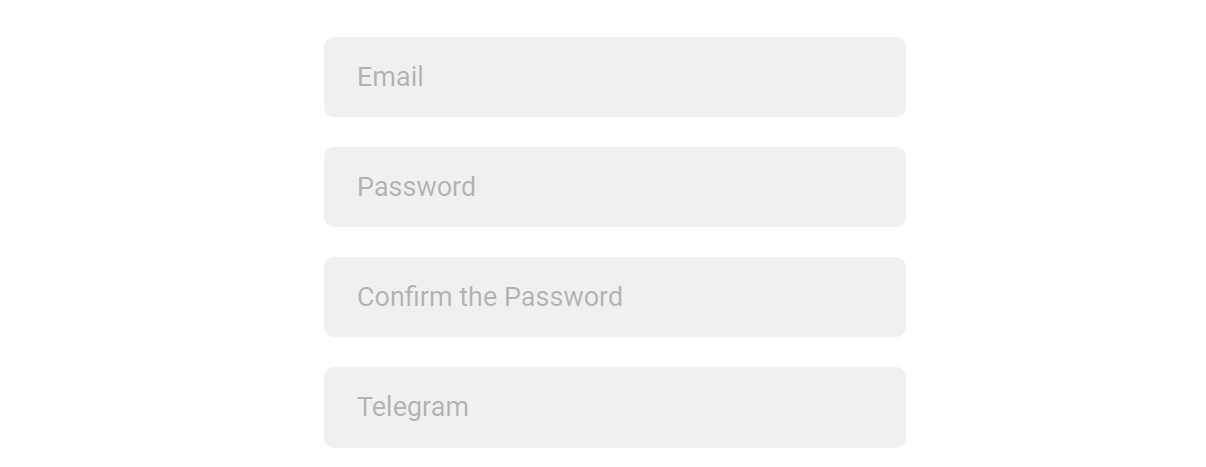
4. Complete the I'm not a robot CAPTCHA and check the box to accept Privacy Policy & Terms of Use. Click the Register button to create your account.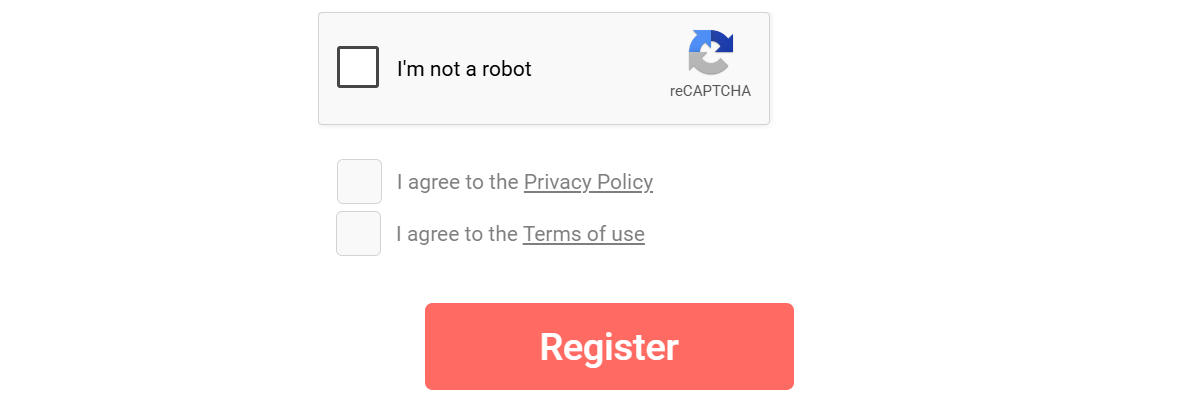
5. Click Register.
Verification
After successful registration, an activation code will be sent to your email address. Enter this code to verify your account and activate access to the platform.
Related
- Log In to Your Account
- Create Your First Campaign
- Fund Your Account
Last Updated
2026-05-18 · Owner: [email protected]