
Domain Volumes Video
Summary
LearnUse howDomain Volumes Video to creatediscover available traffic sources, review estimated traffic volumes, and quickly build a whitelist for your Video campaign in DAO.AD by uploading a video creative and configuring campaign settings.campaigns.
Before You Begin
- Role: Advertiser.
- Required information:
- Existing Video
creativecampaign DestinationWhitelist-enabledURLcampaign (optional)
- Existing Video
- Estimated time:
5-102 minutes
Steps
NavigateOpentoyourCampaignsVideoandcampaignselector create a new one.- Open Domain Volumes Video from the
campaigntoptypenavigationlist.menu. ClickSearch for a domain or use theCreateavailableCampaignfiltersbutton.to find the traffic sources you want to target.EnterCopy the required Source IDs or SubIDs directly from the search results.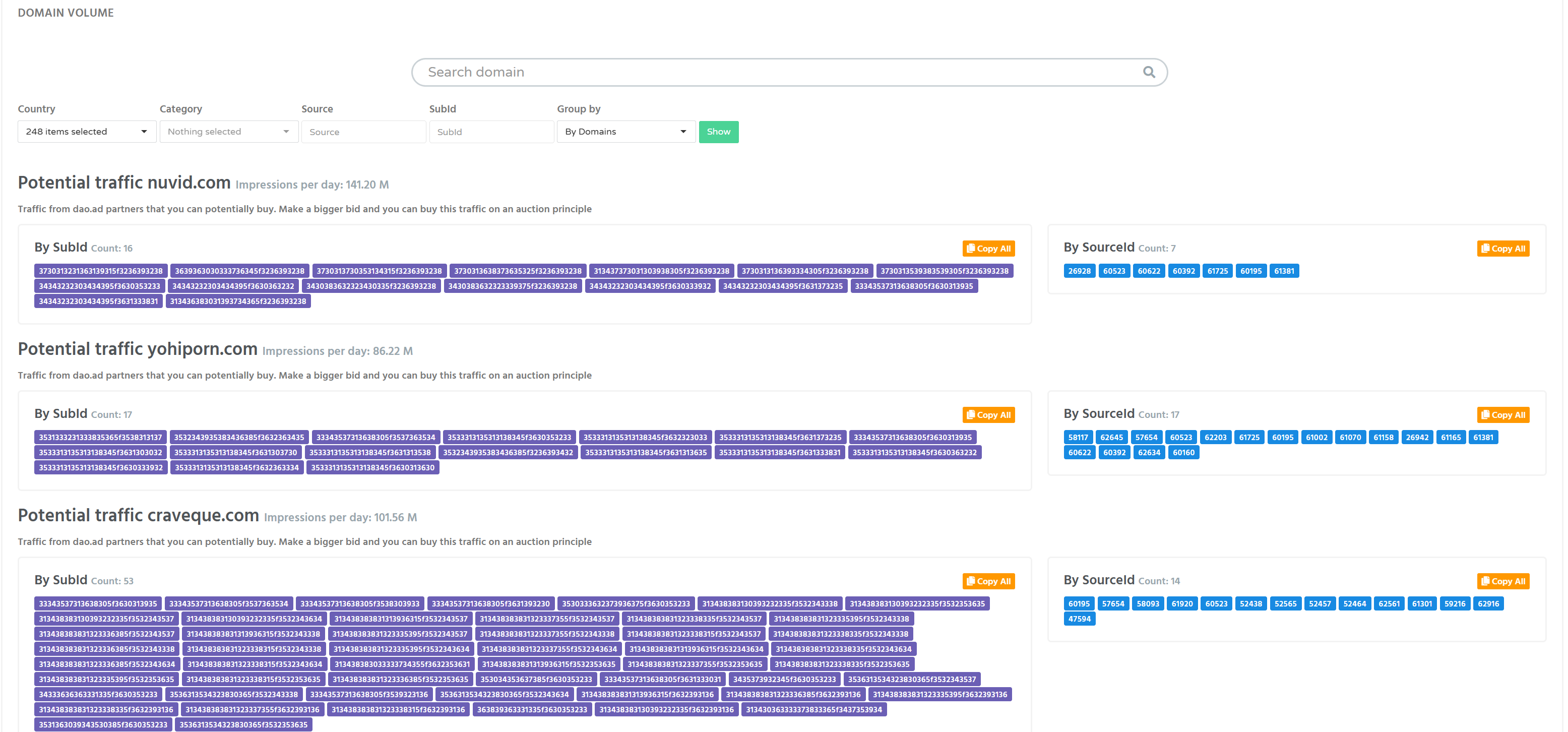
Note: Domain Volumes provide estimated traffic availability. Actual traffic depends on your campaign
nametargeting, bid, budget, andkeepcurrentDefaultmarketplaceselecteddemand.as5. Paste thecampaigncopiedsourcevaluestype.Configureinto yourtargetingcampaignoptionswhitelist andbidding settings.Set the Black list or White list, if needs.Scroll down to the Select creative block and click Add creative.Enter a creative title and selectVideoas the creative type.Upload your video file from your computer. DAO.AD automatically generates all supported aspect ratios required for video placements.Enter the destination URL. You may also include tracking parameters or macros if required.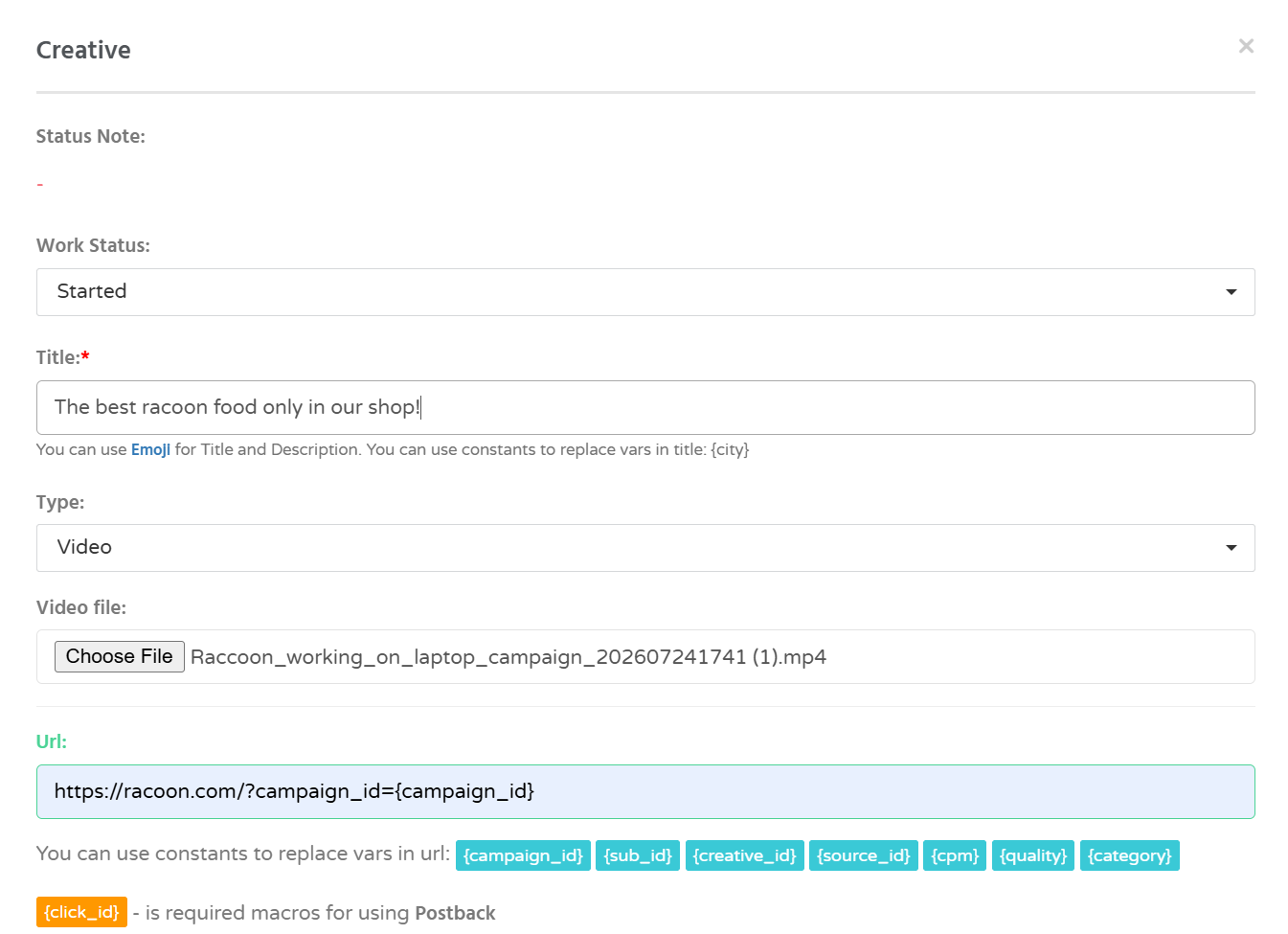
Savesave the campaign.Once submitted, it will be reviewed by the DAO.AD moderation team.Once uploaded, the creative will appear in the Creatives section of your campaign.
Save the campaign and wait for the moderation process to complete.
Note: Video campaigns support Sum per Source, allowing you to define the maximum budget that can be spent on each individual traffic source.
Troubleshooting
Issue: MyThe adscampaign doesreceives little or no traffic after applying a whitelist.
Possible causes
- Selected sources do not
receivematch your GEO targeting. - Device targeting excludes available traffic.
- Your CPM bid is too low.
- Budget limits have been reached.
Solutions
- Verify that your campaign targeting matches the
videoselectedcreative has been uploaded successfully.sources. VerifyIncreasethatyourthebiddestinationifURL is valid.necessary.EnsureExpandthatGEOtheor device targeting.- Check your campaign
status isActive. Ensure that your account balance is sufficient.Verify that your targeting settings are not overly restrictive.
budget.