# Statistics & Optimization
# Traffic Statistics
##### Summary
This page explains how to view and analyze your traffic and earnings statistics in the DAO.AD platform.
##### Before You Begin
- Role: Webmaster
- Required information:
- Active DAO.AD account
- Estimated time: 2 minutes
##### Steps
1. Open Statistics from the main menu.
2. Select the advertising format you want to analyze:
3. - Popunder
- Push
- Push InPage
- Video
- Overall
Select the required traffic source and use the available filters to narrow down the results.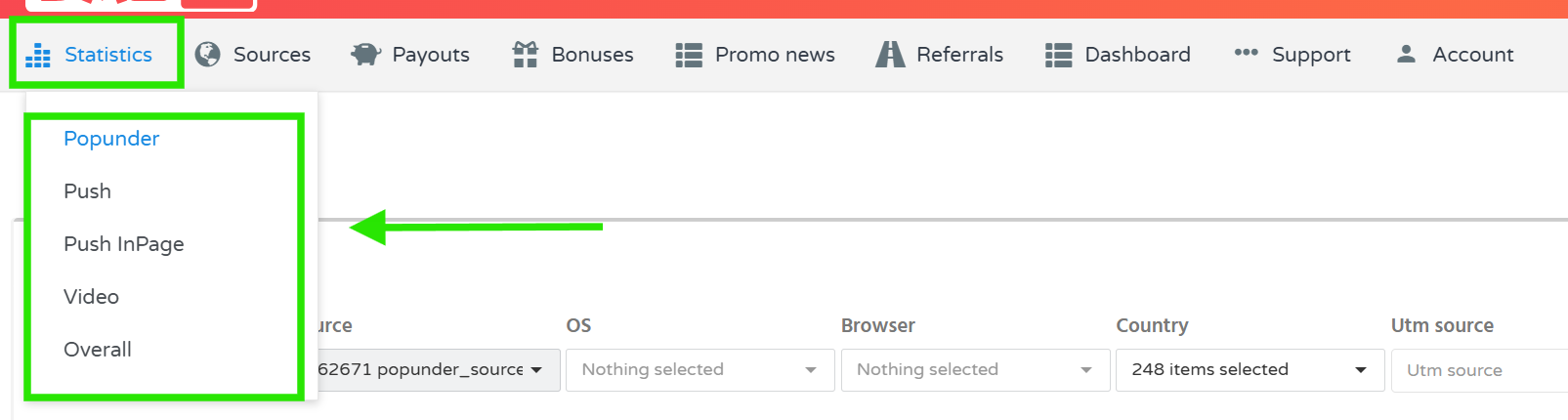
4. Depending on the selected advertising format, you can filter statistics by parameters such as:
- Date range
- Traffic source
- Operating system
- Browser
- Country
- UTM Source
- UTM Medium
- UTM Campaign
- UTM Term
- UTM Content
5. Select the required grouping option, if available, and click ****Show**** to display the statistics.
6. Review the results in the chart and table below the filters.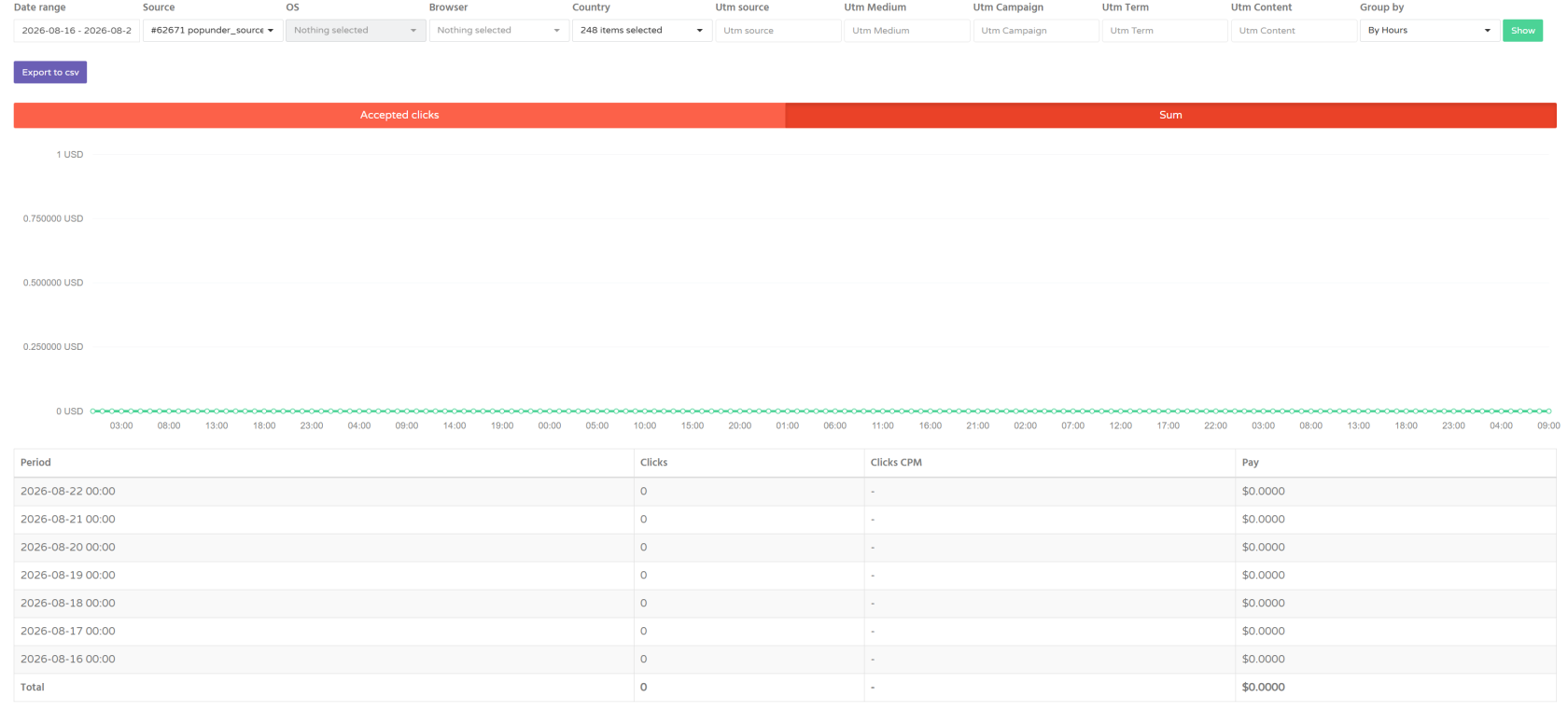
7. The statistics allow you to analyze traffic performance over different time periods and across different traffic sources and targeting parameters.
****Note:**** Statistics are updated approximately every 1 minute.
##### Troubleshooting
****Issue:**** Statistics data is not displayed.
****Solutions:**** Possible variants of solutions
- Check that your traffic source is active.
- Make sure you selected the correct advertising format.
- Try removing the filters and displaying the statistics without additional filtering.
- Check that the selected date range contains available traffic data.
- If the issue persists, contact DAO.AD Support.
##### Related
- [Create a Link Source](https://wiki.dao.ad/books/getting-started-QiA/page/create-a-link-source "Create a Link Source")
- [Create a Site Source](https://wiki.dao.ad/books/getting-started-QiA/page/create-a-site-source "Create a Site Source")
- [UTM Parameters](https://wiki.dao.ad/books/statistics-optimization/page/utm-parameters "UTM Parameters")
- [Traffic Quality](https://wiki.dao.ad/books/getting-started-QiA/page/traffic-quality "Traffic Quality")
#####
# UTM Parameters
##### Summary
This page explains how to configure UTM parameters for Pop traffic and use them to track traffic sources in your analytics systems.
##### Before You Begin
- Role: Webmaster
- Required information:
- Active DAO.AD account
- Popunder traffic source
- Analytics or tracking system, if applicable
- Estimated time: 2 minutes
##### What Are UTM Parameters?
UTM parameters are tags added to a URL to help identify and analyze the source and context of incoming traffic.
DAO.AD allows you to add custom UTM parameters when creating an advertising code for the ****Popunder**** format.
These parameters are automatically added to the destination URL when a user is redirected after opening a Pop ad.
##### Available Parameters
DAO.AD supports the following UTM parameters:
| Parameter
| Description
| Example
|
|---|
| `utm_source`
| Identifies the traffic source
| `dao`
|
| `utm_medium`
| Identifies the traffic type or format
| `pop`
|
| `utm_campaign`
| Identifies the campaign or project
| `casino`
|
| `utm_term`
| Additional tracking parameter
| `news`
|
| `utm_content`
| Identifies the site, ad placement, or another custom value
| `site123`
|
##### How to Configure UTM Parameters
When creating a ****Popunder**** advertising code:
1. Open the UTM parameters section.
2. Enter the required values for the parameters you want to use.
3. Save the advertising code.
4. Place the generated code on your website.
DAO.AD will automatically add the configured parameters to the destination URL.
##### Example
For example, you can configure:
```
utm_source = dao, utm_medium = pop, utm_campaign = casino, utm_term = news, utm_content = site123
```
The resulting URL may look like:
```
https://example.com/?utm_source=dao&utm_medium=pop&utm_campaign=casino&utm_term=news&utm_content=site123
```
This allows you to identify the source and additional details of the traffic in your analytics or tracking system.
##### Using UTM Parameters for Analytics
UTM parameters can be used with analytics and tracking platforms such as:
- Google Analytics
- Keitaro
- Binom
- Voluum
- other systems that support UTM tracking
You can use these parameters to analyze traffic by source, format, campaign, site, or other custom values.
##### Related
- [Create a Link Source](https://wiki.dao.ad/books/getting-started-QiA/page/create-a-link-source "Create a Link Source")
- [Create a Site Source](https://wiki.dao.ad/books/getting-started-QiA/page/create-a-site-source "Create a Site Source")
- [Traffic Statistics](https://wiki.dao.ad/books/statistics-optimization/page/traffic-statistics "Traffic Statistics")
- [Placement Rules](https://wiki.dao.ad/books/getting-started-QiA/page/placement-rules "Placement Rules")
#####
# Statistics KPI for Webmasters
##### Summary
This page explains the main performance indicators available in DAO.AD statistics and how to use them to evaluate your website's monetization performance.
##### Before You Begin
- Role: Webmaster
- Required information:
- Active DAO.AD account
- Estimated time: 3 minutes
##### Key Performance Indicators
****Pay -**** revenue generated by your traffic through DAO.AD.
Use this metric to understand the overall monetization result for the selected period, traffic source, or advertising format.
****Popunder Statistics****
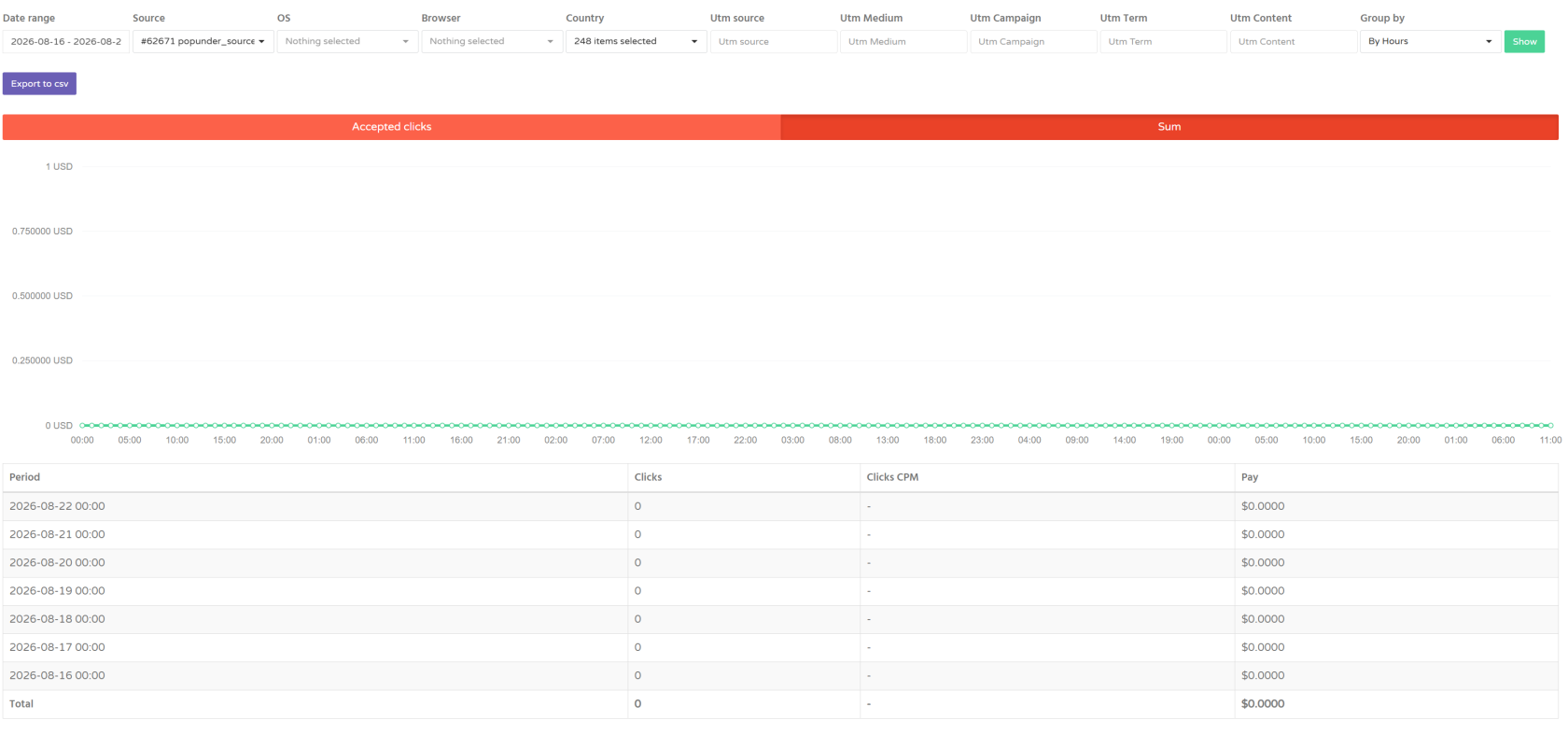
****Clicks -**** number of clicks generated by users on your traffic source.
****Clicks CPM - in DAO.AD statistics**** shows the amount earned per 1,000 clicks.
Clicks CPM can vary depending on:
- GEO;
- traffic quality;
- user's device;
- operating system;
- advertising format;
- advertiser demand;
- auction activity.
CPM is calculated dynamically, so the value may change over time.
****Push Notifications Statistics****
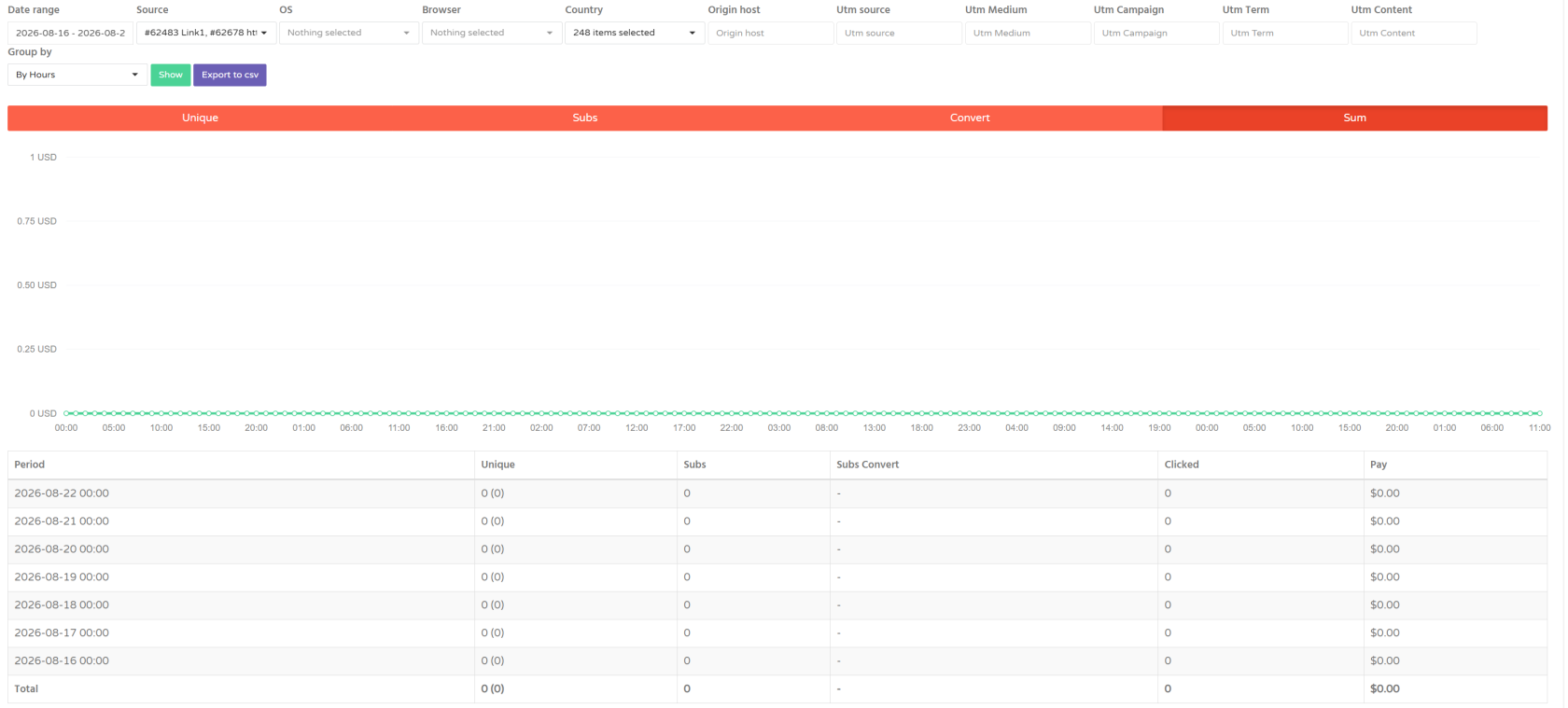
****Unique**** - amount of visits to this source as total and uniqual (in brackets)
****Subs**** - amount of subsciptions
****Subs Convert**** - Ratio of uniqual followings vs uniqual users (visitors)
****Clicked**** - amount of Clicks from these sources (source)
****In-page Push Statistics****
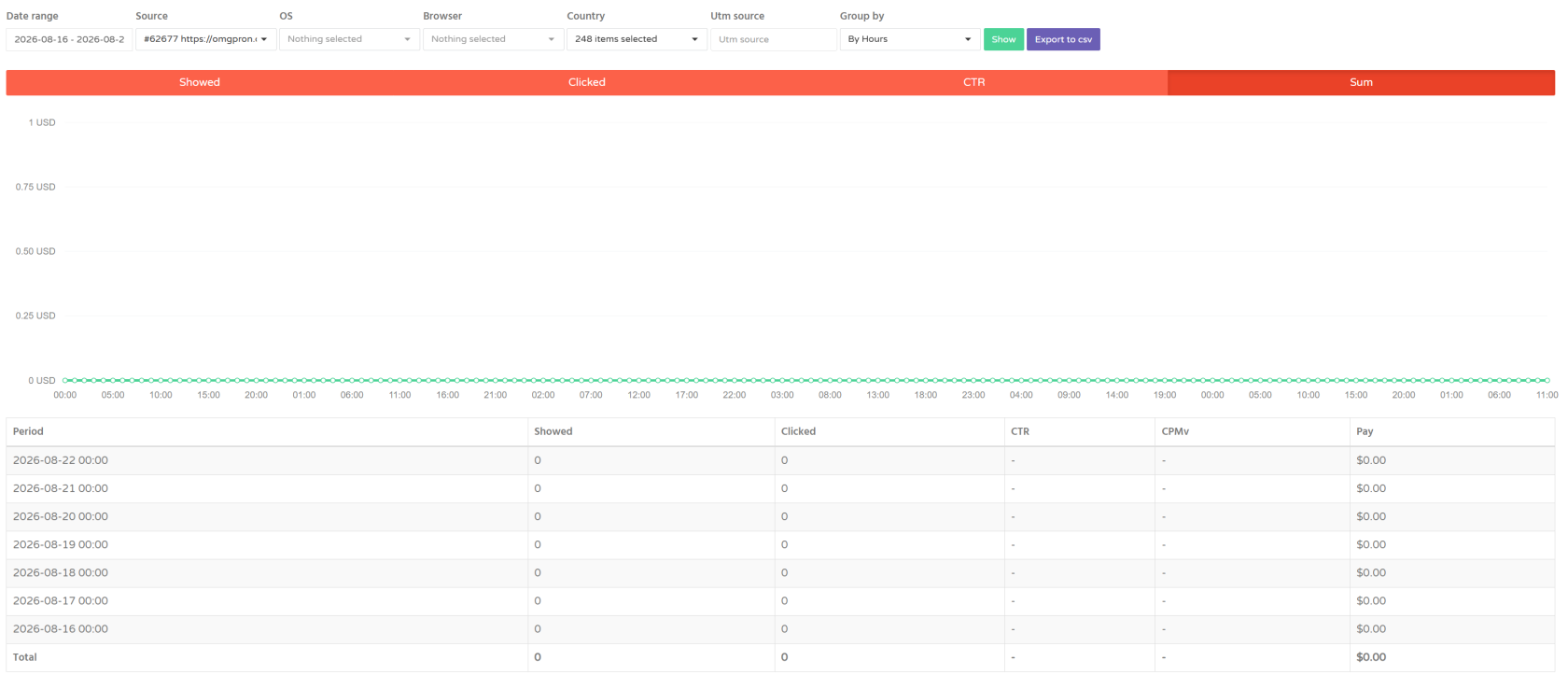
****Showed -**** amount of impressions of partners ads on your InPage Push source
****Clicked**** - amount of Clicks from these sources (source)
[****CTR****](https://wiki.dao.ad/books/terms-a-c/page/ctr "CTR") - Click Through Rate
****CPMv**** - Cost Per Mile views (cost per 1000 impressions)
****Video Statistics****
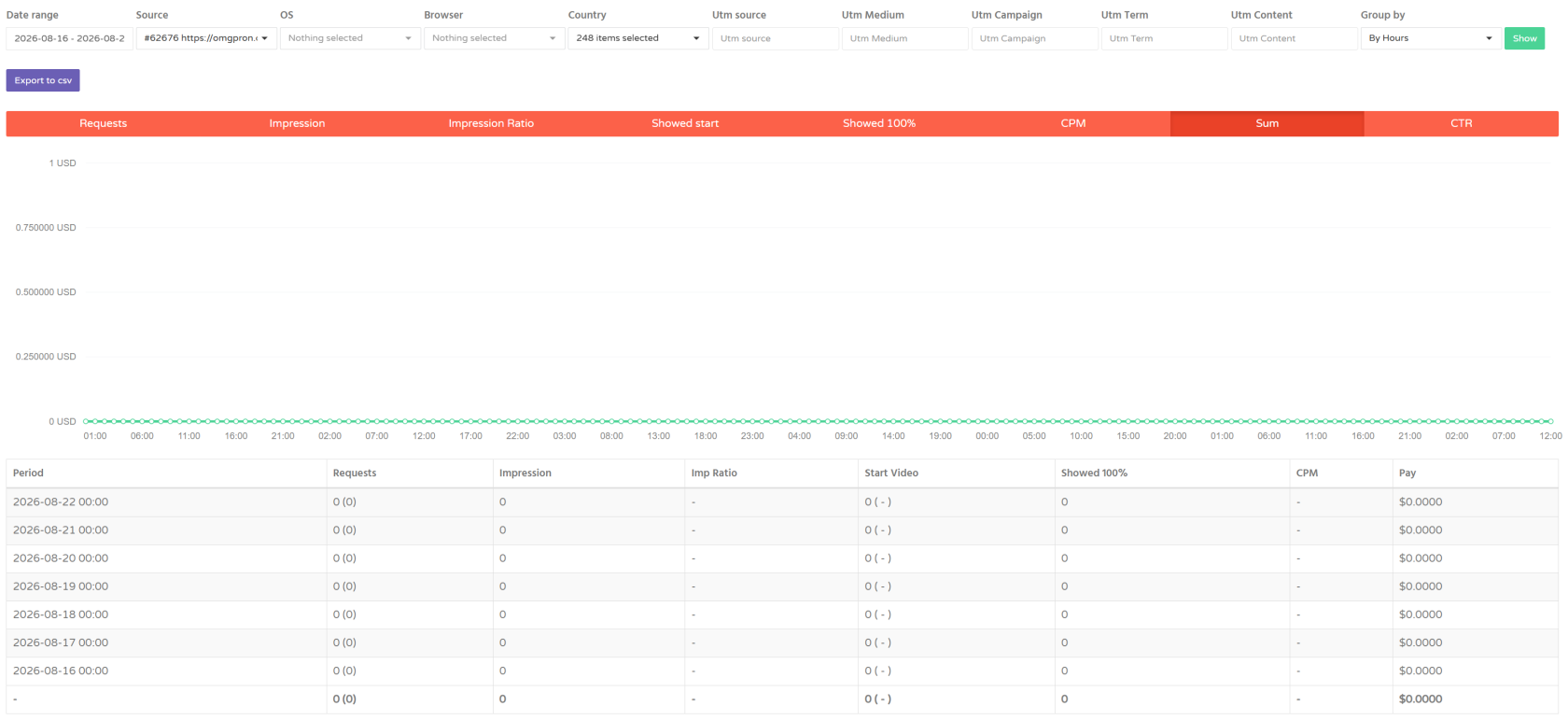
****Requests**** - amount of requests made to your source with partners demand
****Impression**** - total impressions of video ads at your video source
****Imp Ratio**** - percent of impressions to auction won
****Start Video**** - amount of video started
****Showed 100%**** - amount of complete video views
****CPM**** - cost per 1000 impressions
##### What Affects Your Revenue?
Your earnings are not fixed and may change from day to day.
According to DAO.AD, revenue can be affected by:
- advertiser demand;
- auction activity;
- seasonality;
- traffic quality;
- GEO;
- device and operating system;
- advertising format.
For this reason, a temporary decrease in CPM or revenue does not necessarily indicate a problem with your integration.
##### Automated Campaign Optimization
Advertisers may use automated optimization tools to adjust traffic demand ([CPA Goal](https://wiki.dao.ad/books/terms-a-c/page/cpa-goal "CPA Goal"), in Popunder) and bids based on campaign performance and conversion data.
As a result, the ****availability and price of traffic may change over time**** for a particular source, GEO, device, or advertising format.
Traffic volume and revenue may therefore increase or decrease depending on current advertiser demand and campaign performance.
****Important:**** A temporary decrease in traffic volume, CPM, or revenue does not necessarily indicate a problem with your traffic source or integration.
##### Why Can CPM Change?
DAO.AD pricing is formed in real time.
CPM may change because of:
- seasonal changes in demand;
- changes in advertiser demand;
- auction activity;
- changes in traffic quality.
Comparing performance over longer periods can therefore provide a more meaningful picture than comparing individual hours or days.
##### How to Use KPIs for Optimization
When analyzing your performance, consider several metrics together rather than focusing on a single number.
For example:
- ****High traffic volume + low earnings**** → review traffic quality, GEO and format performance.
- ****Stable traffic + decreasing CPM**** → check current advertiser demand and auction conditions.
- ****Low traffic volume + good CPM**** → increasing high-quality traffic may increase total revenue.
- ****Several formats available**** → compare their performance and consider using multiple formats.
DAO.AD recommends using multiple advertising formats, increasing the volume of high-quality traffic, and enabling Video when a suitable video player is available.
##### Statistics Update Frequency
Statistics are not updated instantly.
DAO.AD statistics are updated approximately every ****5 minutes****.
If you have just installed an advertising code or changed your traffic source configuration, allow some time for the data to appear.
##### DAO.AD Statistics vs. Trackers
Small differences between DAO.AD statistics and Trackers are normal.
The platforms use different methods for counting events, so their numbers may not always match exactly.
For revenue and advertising performance, use the statistics provided in your DAO.AD account.
##### API & Export
DAO.AD provides an API for retrieving statistics.
Statistics can be accessed through:
- the DAO.AD dashboard;
- the [Statistics API](https://wiki.dao.ad/link/4#bkmrk-statistics-for-webma "Statistics API").
##### Filtering and Grouping Statistics
DAO.AD statistics allow you to analyze performance using different filters and grouping options.
Depending on the selected advertising format, you can filter statistics by:
- Date range;
- Traffic source;
- OS;
- Browser;
- Country;
- UTM parameters;
- Origin host, where available.
You can also group statistics by different time periods, such as hours or days.
Use filters to identify which traffic segments, GEOs, devices, or campaigns generate the best results.
##### Related
- [Traffic Statistics](https://wiki.dao.ad/books/statistics-optimization/page/traffic-statistics "Traffic Statistics")
- [UTM Parameters](https://wiki.dao.ad/books/statistics-optimization/page/utm-parameters "UTM Parameters")
- [Traffic Quality](https://wiki.dao.ad/books/getting-started-QiA/page/traffic-quality "Traffic Quality")