# Statistics KPI
##### Summary
This page provides an overview of statistics filters, grouping options, and KPI metrics available in DAO.AD.
##### Before You Begin
- Role: Advertiser
- Estimated time: 2 minutes
##### Steps
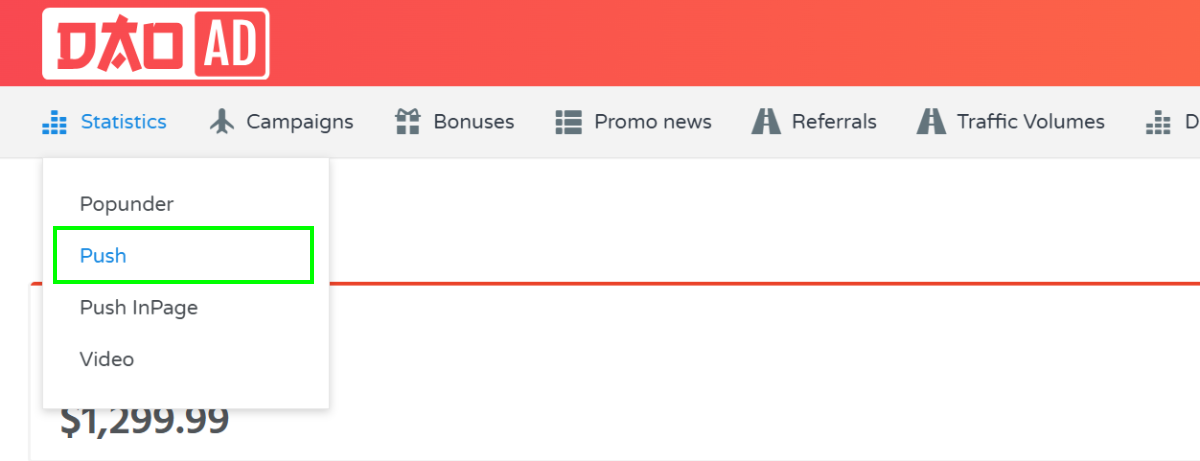
1. Open the Statistics section from the top navigation menu and select the desired ad format.
2. The following filters are available:
****a. Date range** - Filter statistics by a selected date range. The maximum available reporting period is 60 days.
****b. Campaign** - Filter statistics for a specific campaign.
****c. OS group**** - Analyze performance by operating system.
****d. Browser Group**** - View statistics grouped by browser type.
****e. Country**** - View performance data by country.
****f. Group by**** - Available grouping options:
1. by hours - Displays statistics grouped by hour within the selected date range.
2. by days - Displays statistics grouped by day.
3. by month - Displays statistics grouped by month.
4. by countries - Aggregates statistics by country.
5. by geo set - Aggregates statistics by GEO set.
6. by creative - Aggregates statistics by creative.
7. by campaign - Aggregates statistics by campaign.
8. by browsers - Aggregates statistics by browser.
9. by browser family - Aggregates statistics by browser family.
3\. The report table contains the following KPI Definitions:
- ****Period**** - dates and hours
- ****Win Rate**** – percentage of auction wins compared to total bidding opportunities.
- ****Showed**** - Total number of ad impressions served.
- ****Clicked**** - Total number of clicks received.
- [CTR](https://wiki.dao.ad/books/terms-a-c/page/ctr "CTR") ****–**** percentage of impressions that resulted in a click.
- ****CPMc**** - Average cost per 1,000 clicks.
- ****CPMv**** - Average cost per 1,000 impressions.
- ****Sum**** - Total advertising spend for the selected reporting group.
- [Lead](https://wiki.dao.ad/books/terms-l-o/page/lead "Lead") - Total number of conversions. Postback tracking must be configured.
- ****Leads sum**** - Total revenue generated from recorded conversions.
- [CPL](https://wiki.dao.ad/books/terms-a-c/page/cpl "CPL") - Average cost per lead.
- [ROI](https://wiki.dao.ad/books/terms-p-t/page/roi "ROI") ****(Return on Investment)**** – profitability percentage based on advertising spend and conversion revenue.
##### Related
- [Statistics Overview](https://wiki.dao.ad/books/optimization-reporting/page/statistics-overview "Statistics Overview")
- [Export Reports to CSV](https://wiki.dao.ad/books/optimization-reporting/page/export-reports-to-csv "Export Reports to CSV")
- [Micro-bidding Tool](https://wiki.dao.ad/books/optimization-reporting/page/micro-bidding-tool "Micro-bidding Tool")
- [Automatic Rules for Blacklisting](https://wiki.dao.ad/books/optimization-reporting/page/automatic-rules-for-blacklisting "Automatic Rules for Blacklisting")
- [Statistics Overview](https://wiki.dao.ad/books/optimization-reporting/page/statistics-overview "Statistics Overview")