****Important!**** JavaScript code is available only for Site traffic sources. If your source type is Link, create and approve a Site Source before continuing.
##### Steps 1. Open your approved Site source of Push. After your Site Source has been approved, navigate to Sources - Push and open the source that will be used for the Push format. 2. Open the Code page and click Code to open the [JavaScript](https://wiki.dao.ad/books/terms-g-k/page/javascript "JavaScript") code configuration settings. 3. Configure the following parameters: \- Click ID for postback - if you want to track conversion through postback \- Redirect Count - Maximum number of redirects before the user is subscribed. We recommend using no more than 5 redirects. \- Decline Count - Maximum number of declined subscription attempts before redirecting the user to the Trafficback URL. We recommend using the default value. \- Full-screen Mode - Enable or disable full-screen display on the landing page. \- Landing Page Type - Select one of the available landing page types.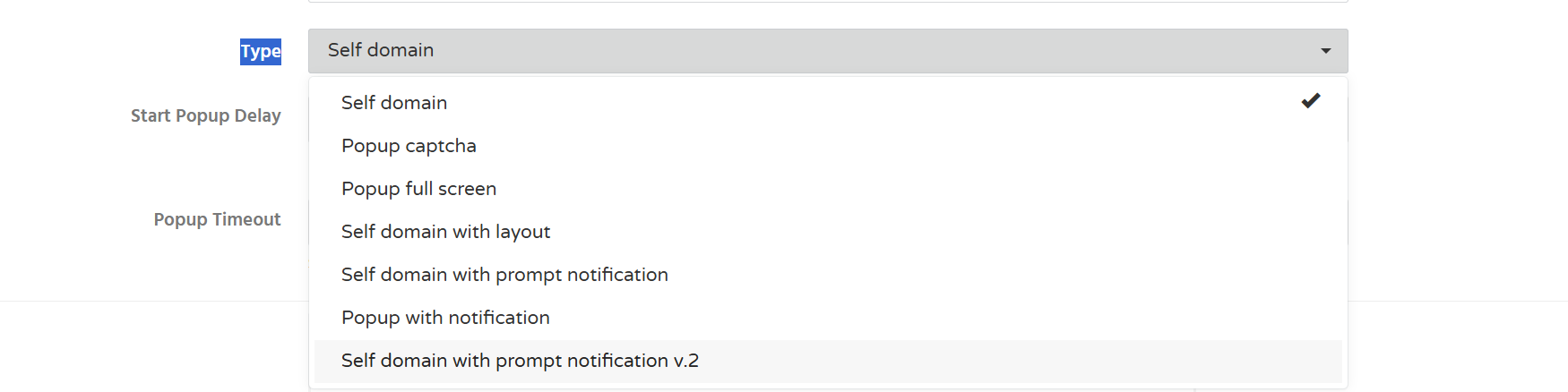- Start Popup Delay - Time (in seconds) before the first popup appears. \- Popup Timeout - Time interval (in seconds) between popup displays. 4. Download the generated code archive, extract it, and upload the script files to your website's root directory.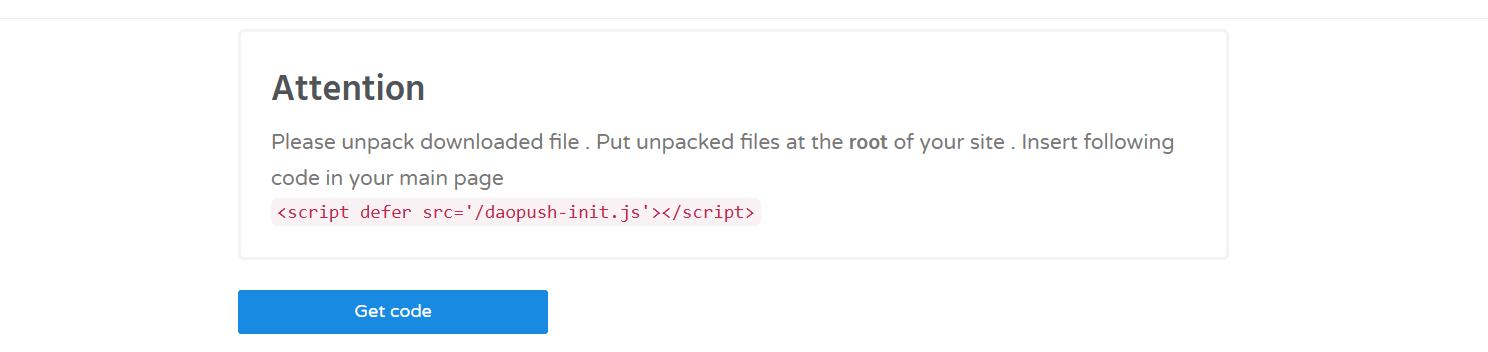 5. Subscriber collection begins once visitors allow push notifications on your website. ##### Troubleshooting ****Issue:**** The Code button is unavailable. ****Solutions:**** If you have not received the authorization code. Verify that: - your Site Source has been approved; - the source type is ****Site****; - you have permission to access the source. ##### Related - [Site vs Link](https://wiki.dao.ad/books/getting-started-QiA/page/site-vs-link "Site vs Link") - [Create a Site Source](https://wiki.dao.ad/books/getting-started-QiA/page/create-a-site-source "Create a Site Source") - [Site/App Approval](https://wiki.dao.ad/books/getting-started-QiA/page/siteapp-approval "Site/App Approval")